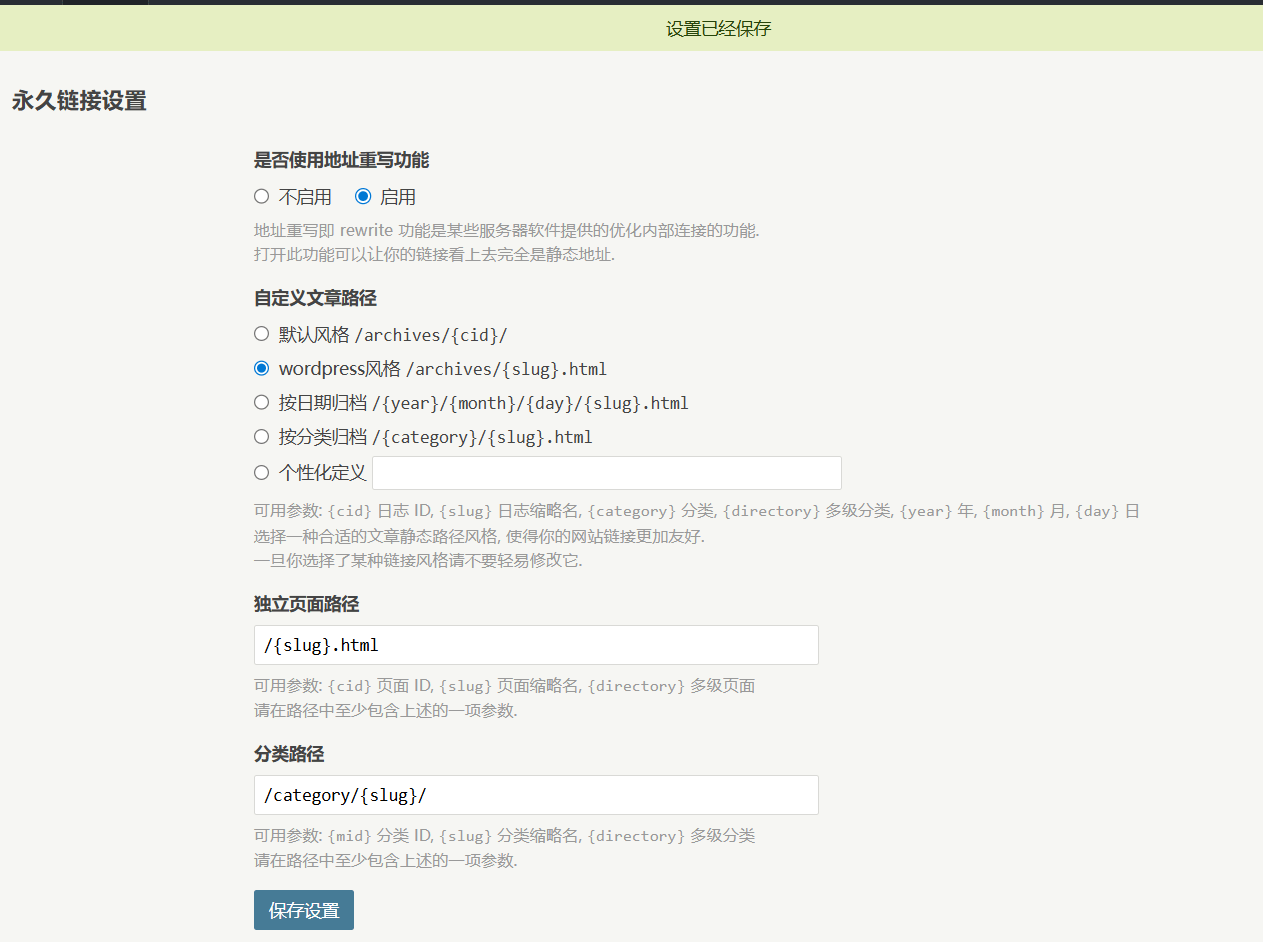
Typecho 的优化
PHP
PHP 加速器安装
安装OPcache可以显著提升PHP执行效率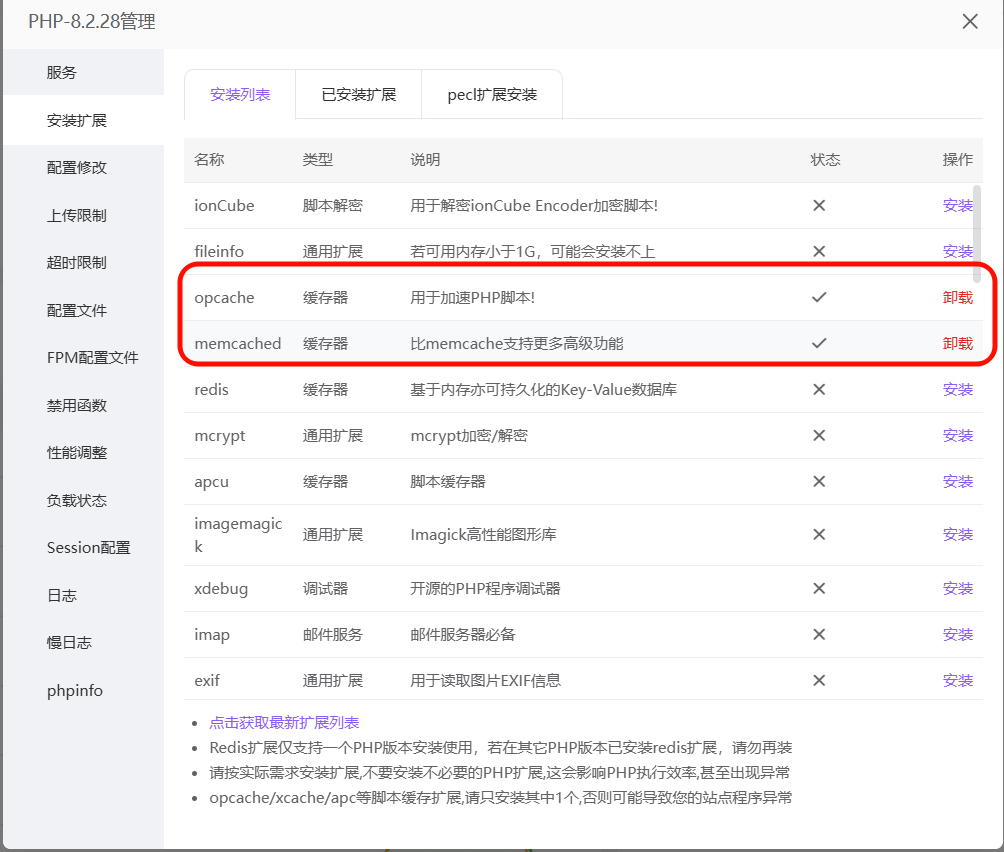
OPcache 配置如下: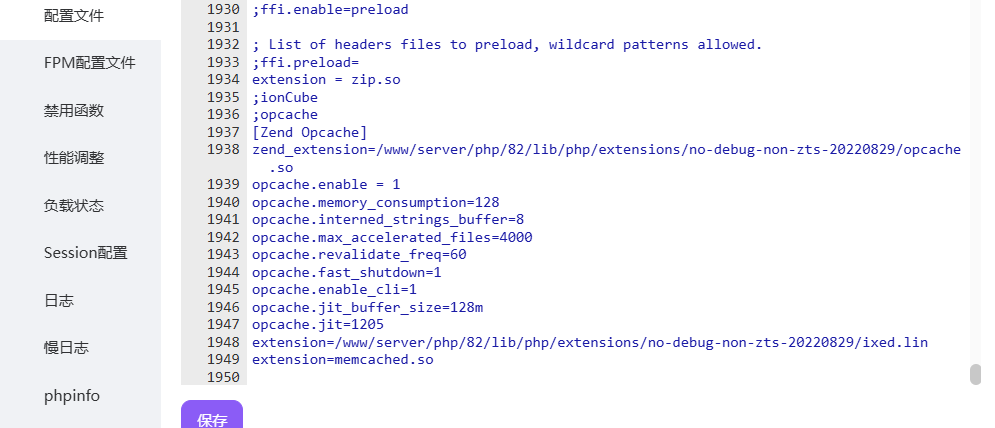
; php.ini配置示例
[opcache]
opcache.enable=1
opcache.memory_consumption=128
opcache.interned_strings_buffer=8
opcache.max_accelerated_files=4000
opcache.revalidate_freq=60
opcache.fast_shutdown=1
PHP 启用对象缓存
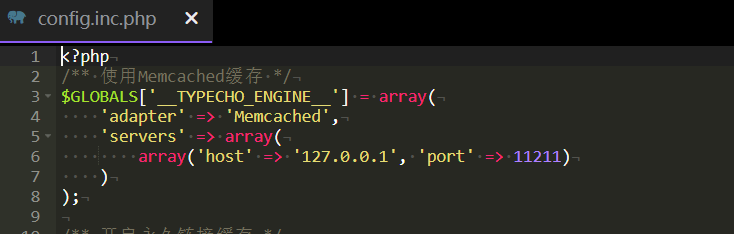
安装memcached,然后在 config.inc.php 里配置
/** 使用Memcached缓存 */
$GLOBALS['__TYPECHO_ENGINE__'] = array(
    'adapter' => 'Memcached',
    'servers' => array(
        array('host' => '127.0.0.1', 'port' => 11211)
    )
);
PHP-FPM 优化
; php-fpm.conf优化配置
pm = dynamic
pm.max_children = 50
pm.start_servers = 5
pm.min_spare_servers = 2
pm.max_spare_servers = 8
pm.max_requests = 500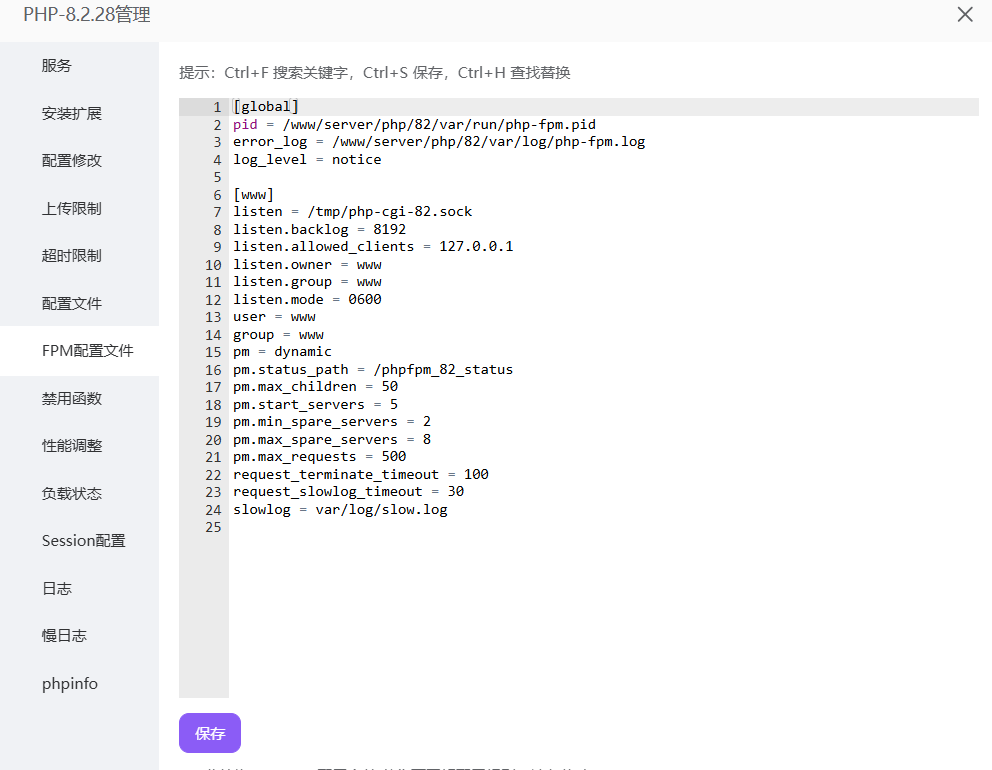
启用永久链接缓存
在 config.inc.php 里配置
/** 开启永久链接缓存 */
define('__TYPECHO_PERMANENT_LINK_CACHE__', true);
数据库
表结构优化
-- 优化文章表
OPTIMIZE TABLE typecho_contents;
-- 优化评论表
OPTIMIZE TABLE typecho_comments;
-- 优化选项表
OPTIMIZE TABLE typecho_options;
ALTER TABLE `typecho_contents` ADD INDEX (`created`);
ALTER TABLE `typecho_contents` ADD INDEX (`modified`);
ALTER TABLE `typecho_contents` ADD INDEX (`authorId`);
ALTER TABLE typecho_contents ADD INDEX idx_created (created);
ALTER TABLE typecho_comments ADD INDEX idx_cid (cid);
Typecho 防黑客配置
修改后台地址
- 修改后台
admin目录名 - 修改
config.inc.php中的后台配置
屏蔽 PHP 文件
在 nginx 中添加配置
# ========== 安全防护配置(必须放在最前面)==========
# 1. 精确匹配屏蔽根目录敏感文件(优先级最高)
location = /config.inc.php { deny all; log_not_found off; access_log off; }
location = /.env { deny all; log_not_found off; access_log off; }
location = /LICENSE { deny all; log_not_found off; access_log off; }
location = /README.md { deny all; log_not_found off; access_log off; }

# 2. 屏蔽敏感目录下的PHP文件
location ~* ^/(usr|var)/.*\.php$ {
    deny all;
    log_not_found off;
    access_log off;
}

# 3. 屏蔽隐藏文件和特殊文件(合并原两条规则)
location ~ (^/\.|/\.(user\.ini|htaccess|htpasswd|git|svn|env|project)|LICENSE|README\.md)$ {
    deny all;
    log_not_found off;
    access_log off;
}

# 4. 屏蔽备份文件
location ~* \.(bak|backup|old|orig|save|swp|tmp|log)$ {
    deny all;
    log_not_found off;
}
删除 install 文件夹和 install. PHP
安装完后应删除相关文件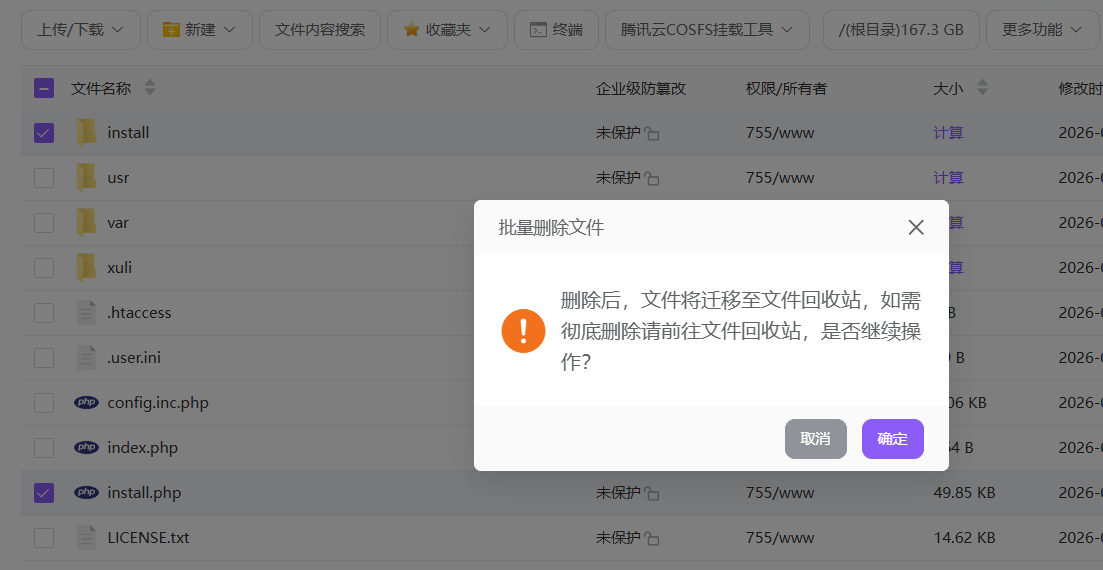
Nginx
优化图片缓存
# 图片文件(长期缓存)
location ~* \.(gif|jpg|jpeg|png|bmp|swf|ico|webp|svg)$
{
expires 1y;
access_log off;
log_not_found off;
add_header Cache-Control "public, immutable";
}

# 字体文件(长期缓存)
location ~* \.(woff|woff2|ttf|otf|eot)$
{
expires 1y;
access_log off;
log_not_found off;
add_header Cache-Control "public, immutable";
add_header Access-Control-Allow-Origin "*";
}

# JS和CSS文件(中期缓存)
location ~* \.(js|css)$
{
expires 7d;
access_log off;
log_not_found off;
add_header Cache-Control "public, no-transform";
}

# JSON和XML文件(短期缓存)
location ~* \.(json|xml)$
{
expires 1h;
add_header Cache-Control "public";
}
开启 Gzip
检验网站: https://tool.chinaz.com/gzips/
Nginx 默认应该是开启的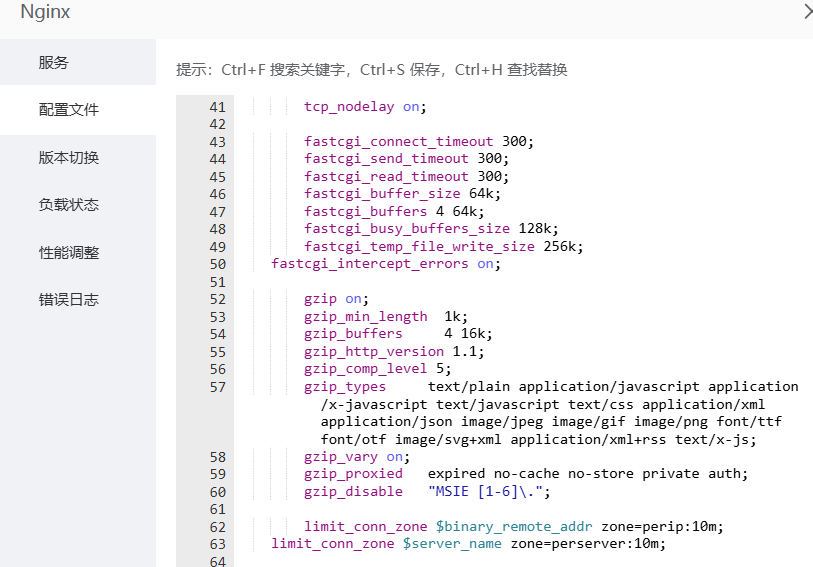
在 index.php 下也可开启
 /** Gzip压缩 */
ob_start('ob_gzhandler');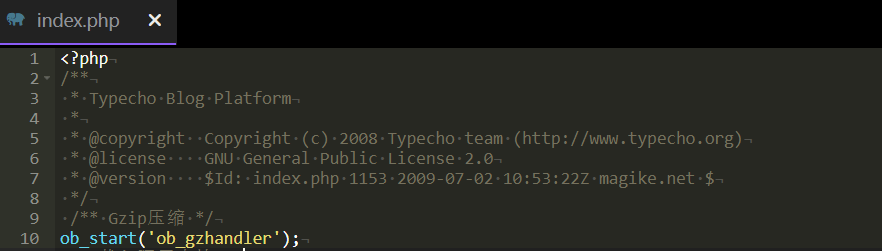
伪静态
- 宝塔伪静态设置为 typecho
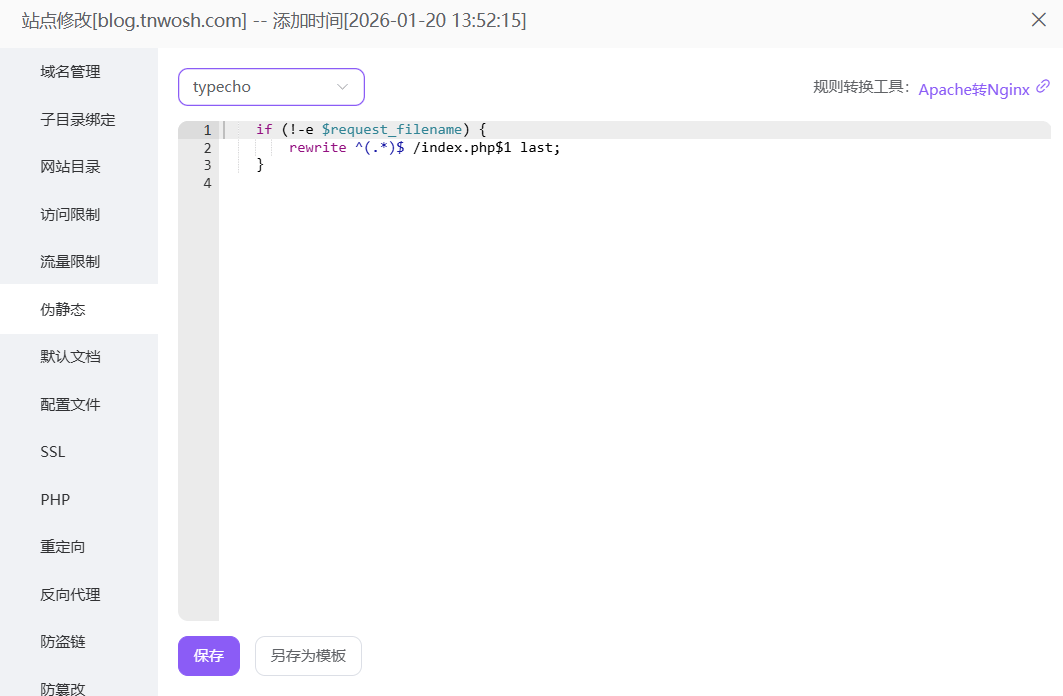
- 网站后台开启永久链接